The Productivity Tools I Actually Use
Estimated reading time: 14 minutes
I’ve tested a lot of productivity tools over the years.
Some were genuinely helpful. Some made things unnecessarily complicated. And some just became another thing I had to manage.
At this point, I’m not interested in productivity for productivity’s sake.
I’m interested in tools and systems that help my business run more smoothly, reduce mental clutter, and give me more space to focus on the work that actually matters.
Because the truth is: most business owners don’t need more apps.
They need fewer decisions.
Better systems.
Less friction.
And support in the right places.
That’s what this list is about.
These are the actual tools, systems, and services I personally use to help run my business — from project management and scheduling tools to meal delivery services, focus timers, and even the ergonomic setup that keeps my body from hating me after long workdays.
Some of these help me stay organized.
Some help me protect my energy.
Some simply make life easier.
And honestly? That counts as productivity too.
I also want to be clear: you do not need every tool on this list.
One of the biggest mistakes I see business owners make is trying to build the “perfect” productivity setup instead of building simple systems they’ll actually use consistently.
The goal isn’t to optimize every second of your life.
The goal is to create a business that feels more sustainable, functional, and supportive of the life you actually want to live.
So with that in mind, here are the productivity tools I actually use — and genuinely recommend.
Business Operations Tools

Asana
Asana is my go-to tool for task management — both for myself and for clients.
One of the things I love most about Asana is that it works just as well for solo business owners as it does for massive teams. I’ve seen companies using it at every stage, from small businesses making a few thousand dollars a month all the way up to billion-dollar organizations.
Personally, I use Asana to manage everything from one-off projects to recurring operational tasks like quarterly taxes, invoicing, and client workflows. It’s where I build workflows, document SOPs, delegate tasks, and keep track of moving pieces across multiple businesses and clients.
What makes it so valuable for me is the mental clarity it creates. I don’t spend time wondering what I’m forgetting or trying to mentally track dozens of responsibilities. Everything lives inside Asana, which frees up a huge amount of mental energy.
I also think a lot of people overcomplicate project management tools. The goal isn’t to build the world’s most complicated system — it’s to create something reliable enough that your brain can stop carrying everything.
If you’re someone who likes visual task management, works with a team, delegates frequently, or just hasn’t found a system that sticks yet, Asana is absolutely worth exploring.
(P.S. If you are using Asana and need some help, reach out! I’m an Asana Ambassador and expert, helping individuals and teams to make Asana work for them)
HoneyBook
HoneyBook is one of my favorite tools for freelancers, solopreneurs, and service providers.
It helps create a really smooth client experience from beginning to end — everything from proposals and contracts to invoicing and customer communication can live in one place.
One thing I think people underestimate is how much professionalism and trust matter in client relationships. When your onboarding, communication, invoices, and workflows feel polished and seamless, clients notice. HoneyBook helps create that experience without requiring a ton of manual work behind the scenes.
I also love the workflow automation side of it. There are so many repetitive administrative tasks in business that can quietly eat up your time and mental energy. HoneyBook helps simplify a lot of those processes so things continue moving without you having to manually manage every step.
If you’re a service-based business owner who wants a more organized and professional client experience, HoneyBook is a really solid option.
Google Workspace
Google Workspace has become a staple in both my business and my clients’ businesses.
I use Google Docs, Sheets, Drive, Calendar, and Gmail constantly, and honestly, I love how simple and user-friendly the ecosystem is. It’s collaborative, accessible from anywhere, and reasonably priced — which makes it a really practical choice for small businesses and growing teams.
A lot of productivity tools try to do too much. Google Workspace succeeds because it handles the fundamentals really well.
Whether it’s sharing documents with clients, collaborating on SOPs, managing calendars, organizing folders, or quickly pulling together spreadsheets, it’s one of those foundational systems that quietly keeps the business running.
OneCal
OneCal solved a very real operational headache for me.
As a fractional COO, I often manage multiple email addresses and calendars across different clients and businesses. At times, I’ve had six or seven calendars that all needed to stay synced and accurate.
Before OneCal, I was manually blocking off calendars and updating availability throughout the day — which was both frustrating and a terrible use of time.
OneCal allows me to sync calendars across accounts while also giving me booking links similar to Calendly. It essentially combines scheduling functionality with calendar syncing in a way that feels much smoother than other tools I’ve tried.
I previously used CalendarBridge and found it clunky and unreliable for what I needed. OneCal has been significantly easier to manage and far more effective.
If you manage multiple calendars, wear multiple hats, or constantly juggle client scheduling, this tool can save a surprising amount of operational friction.
P.S. Use code Kaitlyn10 for 10% off
Loom
Loom is one of the biggest reasons I’m able to delegate effectively and reduce unnecessary meetings.
Instead of typing out long explanations or scheduling another Zoom call, I can quickly record my screen and walk someone through exactly what I’m seeing or thinking.
It saves an incredible amount of back-and-forth communication and often replaces meetings entirely.
I also use Loom heavily for SOP creation and delegation. I’ll record a process step-by-step while explaining it out loud, and Loom AI can automatically generate written documentation from the recording — including links to specific moments in the video.
That feature alone has saved me hours when documenting workflows and training others.
If you work with contractors, assistants, clients, or team members, Loom is one of the easiest ways to improve communication while reducing repetitive explanations.
Time Etc. VA Services
I’m a huge believer in virtual assistant support.
One of the biggest mistakes I see business owners make is waiting too long to get help because hiring feels intimidating or overwhelming.
That’s one reason I like Time Etc. Instead of hiring and managing a single employee yourself, you’re working with a company that gives you access to different VAs depending on the type of support you need.
You might have one person helping with inbox management, another assisting with social media, and someone else helping with blog formatting or administrative work.
I also like the flexibility of their model. You purchase hours in bundles, and some plans allow unused hours to roll over, which makes it feel much more approachable for smaller businesses.
Most importantly, getting support frees up mental energy. Delegation isn’t just about saving time — it’s about creating more capacity to focus on the work only you can do.
Focus & Productivity Tools
Notability
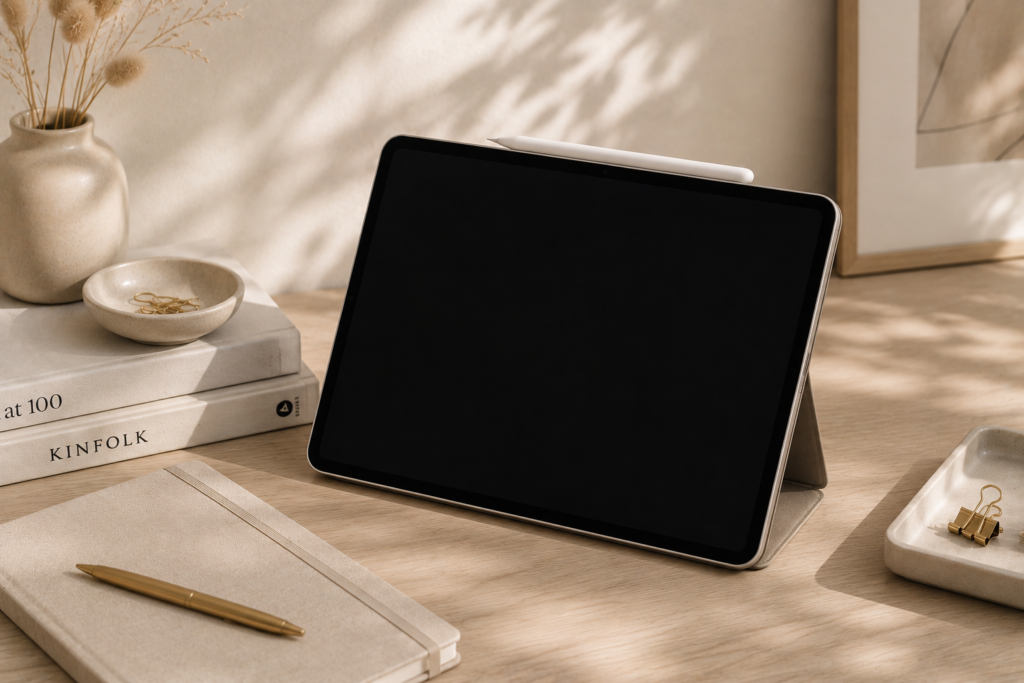
I practically live in Notability on my iPad.
I use it constantly during meetings, client calls, brainstorming sessions, and planning conversations because I process information much better when I’m physically writing things down.
Even though I use tools like Loom AI that can automatically record and transcribe meetings, I still find that handwritten notes help me retain information better and stay more engaged in conversations.
For me, it’s less about replacing note-taking and more about supporting how my brain naturally works.
I also love the flexibility of having digital notes instead of stacks of paper notebooks everywhere. Being able to organize notes, search them later, convert text to PDFs, and keep everything centralized has been incredibly helpful operationally.
If you’re someone who thinks best by writing things down but wants the convenience of a digital system, Notability is absolutely worth trying.
1Password
1Password has been a complete game changer for both productivity and security.
As business owners, we’re constantly logging into multiple platforms, software tools, financial systems, and shared accounts. Trying to manually manage all of that becomes overwhelming very quickly — and honestly, it’s usually less secure too.
What I love about 1Password is how seamless it makes the process. The browser extension automatically fills passwords, stores login information securely, and makes it incredibly easy to access accounts without constantly resetting passwords or digging through old notes and emails.
I also really appreciate the ability to securely share passwords with team members or clients when needed. That alone removes a lot of operational friction.
And from a business perspective, I like knowing that both my data and my clients’ data are encrypted and secure.
This is one of those tools that quietly saves time every single day while also improving security — which makes it one of the highest ROI tools on this list in my opinion.
Whether you work solo or manage a team, I genuinely think a password manager is essential.
Tools That Reduce Decision Fatigue

One thing I’ve learned over the years is that productivity is about a lot more than task management apps.
Sometimes the most helpful “productivity tools” are the things that reduce mental load in everyday life.
Meal planning, grocery shopping, figuring out what’s for dinner, or trying to maintain healthy habits during busy seasons all take energy and decision-making capacity. When those decisions pile up, it becomes harder to focus on the things that actually matter in your business.
These are a few tools and services that have genuinely helped reduce friction in day-to-day life.
Thrive Market
I love Thrive Market for healthy staples and specialty foods that can be delivered directly to my door on a subscription basis.
One of the biggest benefits for me is convenience. Once I figure out roughly how much of something we go through in a given timeframe, I can automate recurring orders and stop thinking about it constantly.
I also appreciate that they carry products that can sometimes be difficult to find locally depending on where you live — especially if you have food allergies, dietary restrictions, or specific ingredient preferences.
Their pricing is often surprisingly competitive compared to traditional grocery stores, particularly for healthier or specialty products, and the bulk ordering options are great.
For busy business owners, reducing repetitive decisions like “Do we have enough of this?” or “When am I going to the store?” genuinely makes a difference.
Instacart
Instacart has absolutely been a game changer for me during especially busy seasons of life and business.
The amount of time saved by skipping grocery store trips adds up quickly — not just the shopping itself, but the driving, parking, unloading, and general disruption to your day.
And honestly, the price difference usually isn’t nearly as dramatic as people expect.
One feature I especially love is how easy it is to reorder frequently purchased items. Once your household staples are dialed in, the process becomes incredibly fast and convenient.
This is one of those tools that can quietly create more breathing room in your schedule without requiring a major lifestyle overhaul.
Hungryroot
We’ve used Hungryroot during busy periods when decision fatigue around meal planning was very real.
One thing I really like about it is that it offers enough variety to feel flexible without becoming overwhelming. Sometimes too many choices become its own source of stress, and Hungryroot strikes a nice balance.
It’s also great for different dietary preferences and restrictions, which makes it easier to find meals that actually work for your lifestyle.
For me, this falls into the category of “small operational supports that make life easier.” It saves time, reduces the mental load of planning meals, and still helps you eat better than a lot of quick convenience alternatives.
Factor Meals
We originally used Factor meals to help support family members during periods where cooking regularly wasn’t realistic, but healthier meal options were still important.
What stood out to me was the quality and variety of the meals available. It made it much easier to provide support in a practical way when we couldn’t personally handle meal preparation ourselves.
I also think services like this can be incredibly valuable during intense work seasons, periods of caregiving, health challenges, or simply times when life feels especially full.
Sometimes productivity looks less like “getting more done” and more like creating systems of support that help you continue functioning well during difficult or busy seasons.
Physical Workspace Tools
I think physical workspace tools are often overlooked when people talk about productivity.
But when you spend long hours working at a desk, your environment absolutely impacts your focus, energy, comfort, and long-term sustainability.
Sometimes productivity isn’t about another app or automation — it’s about making your body hate your workday a little less.
Ergonomic Desk Chair
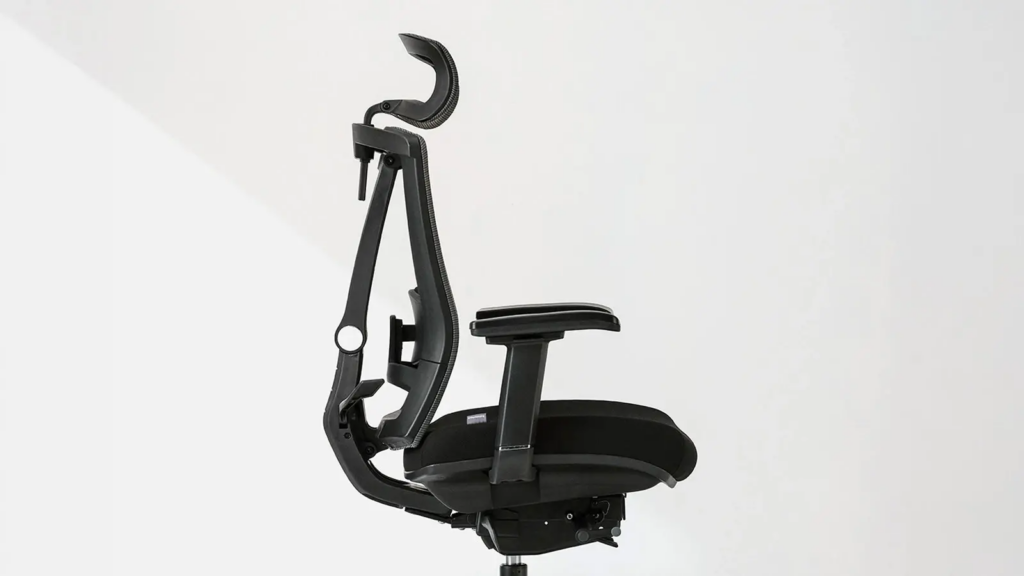
I love my ergonomic desk chair from Autonomous.
I’ve had it for over six years at this point, and it’s still in great shape and incredibly comfortable. Honestly, I recommend this chair to almost everyone I know.
There’s something to be said for being physically comfortable while you work. When your back hurts, your posture is bad, or you’re constantly shifting around trying to get comfortable, it becomes harder to focus and sustain energy throughout the day.
I think people often underestimate how much their physical environment impacts productivity until they improve it.
A good chair isn’t the most exciting productivity purchase, but it’s one of the few things you’ll likely use every single workday for years.
Ergonomic Mouse
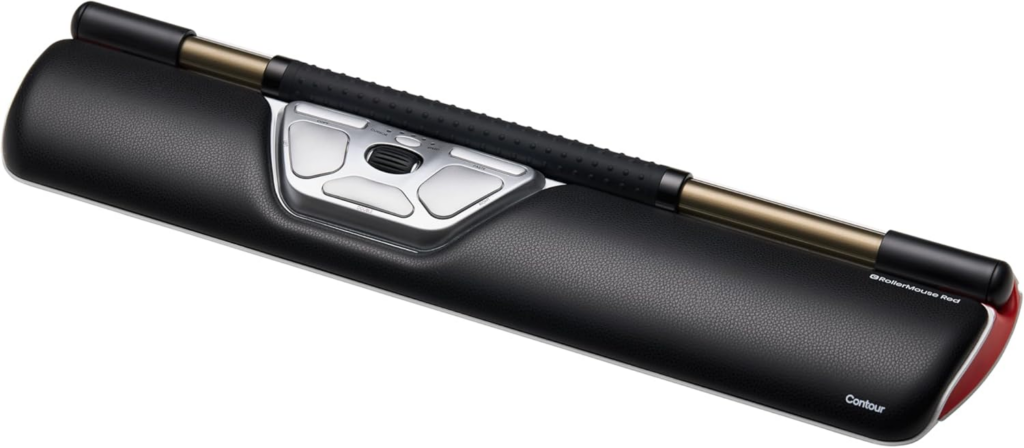
I use a very strange ergonomic mouse from Contour called the RollerMouse.
And I’ll be honest — there was definitely an adjustment period.
It probably took me two or three weeks before it started feeling natural, but once I adapted to it, I noticed a huge difference in wrist pain and arm fatigue.
Before switching, I was dealing with quite a bit of discomfort from long hours at my desk, and this made a surprisingly significant impact.
I also think there’s something valuable about paying attention to the repetitive physical strain that comes with computer work. Small ergonomic improvements can make a massive difference over time.
So yes, it’s a little weird at first.
But for me, it was absolutely worth it.
Walking Pad

I also have a walking pad at my desk, and I genuinely love it.
I’m a pretty goal-oriented person, and I like hitting 10,000 steps a day, so this helps me build movement into my workday much more naturally.
I typically use it during activities that don’t require extremely deep concentration — things like reading, watching trainings, listening to meetings, or lower-intensity work sessions.
And while you technically can type while walking (it’s easier than people think), I definitely notice that I work a little slower on the walking pad.
Honestly though? Sometimes that’s a good thing.
It forces me to slow down a bit instead of constantly operating at maximum speed all day long.
I’ve also found it really helpful for energy and focus, especially during afternoon slumps. Movement has a huge impact on creativity, mental clarity, and overall energy levels, and this is one of the easiest ways I’ve found to incorporate more of it into my day.
Final Thoughts
At the end of the day, productivity isn’t about squeezing more work into every hour.
It’s about reducing friction.
It’s about building systems that support your brain, your energy, your workflow, and the actual life you want to live outside of work.
And honestly, most people don’t need more apps.
They need:
- fewer moving pieces
- clearer systems
- better operational support
- and less mental clutter
The tools in this post are the ones that have genuinely helped me simplify parts of my business and life so I can focus more of my energy on meaningful work instead of constant logistical overwhelm.
That said, tools alone won’t fix broken workflows or operational chaos.
Sometimes the real issue is that your business has outgrown the systems supporting it.
If your business feels harder to run than it should — if things constantly feel reactive, disorganized, or overly dependent on you remembering everything — it may be time for a fresh set of eyes on your operations.
That’s exactly what my Business Audit is designed for.
We’ll look at your workflows, systems, bottlenecks, operational inefficiencies, and areas creating unnecessary friction so you can build a business that runs more smoothly and sustainably.
Some of the links in this post are affiliate links, meaning I may earn a commission if you decide to purchase through them—at no extra cost to you. I only share tools and products I genuinely love, use, or think are worth recommending.
